











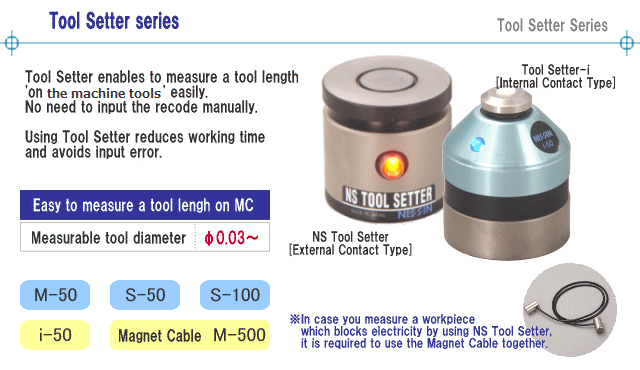
i-50 is improved accuracy repeatedly in the adoption of Patent No. 5133884.
- Features / Measuring Method
- Specifications / Dimensions
Features of the Tool Setter series

- NS Tool Setter makes it possible to measure the tool length (the position of a drill tip) on the machine tools. It saves your machining time!
- Sub-zero treatment and ultraprecise polish prevent the variation across the ages.
- It is usable to measure iron and nonferrous metal workpieces.

- Tool Setter-i has been developed for ultra-highspeed spindle with the machine tools (10000rpm).
- It is available to measure plastic, wood and some other materials which block electricity.
- Magnets are attached at the bottom, so it can be used with both vertical and holizontal machining tools.

| NS Tool Setter [External Contact Structure] |
Tool Setter-i [Internal Contact Structure] |
|
|---|---|---|
| iron, nonferrous metal | Measurable Material | metal, nonmetal (plastic, wood...) |
| 5mm | Vertical Stroke | 1.5mm |
| ±0.001mm | Repeatability | ±0.001mm |
| 0.001N | Measuring Pressure | 0.2N |
| 6N | Magnetism | 6N |
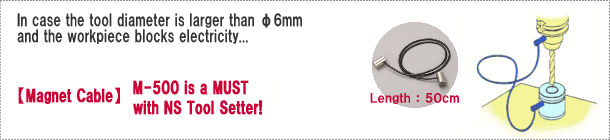
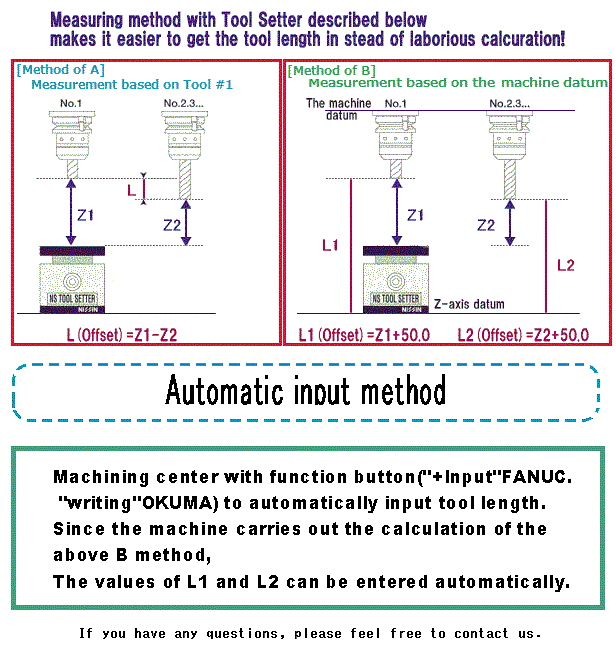
How to measure the tool length with the Tool Setter
Input error is one of the causes of runaway accident.
Let the automatic input in the tool setter.

 Nissin Sangyo Co., Ltd. ―Measuring Instruments for The Machine Tools―
Otsu 45-2, Kitamachi, Kanazawa, Ishikawa, Japan 920-0055
TEL:+81-76-223-1031 FAX:+81-76-223-1281
Copyright © 2007-2009 Nissin Sangyo Co., Ltd. All rights reserved.